
Your Personal Cloud

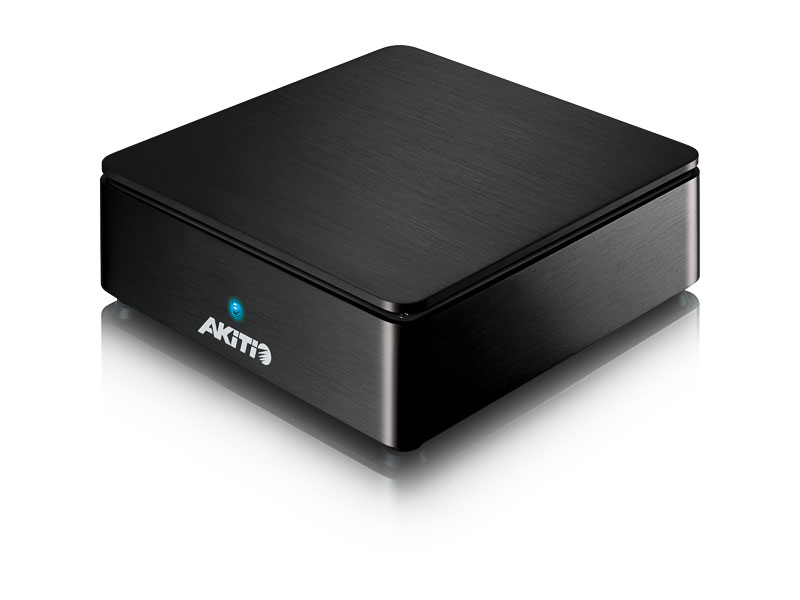
MyCloud Mini

MyCloud Mini
click the image above to enlarge


MyCloud Mini MyCloud Mini MyCloud Mini MyCloud Mini MyCloud Mini MyCloud Mini MyCloud Mini MyCloud Mini

buymeaniphone-editors-choiceCompatible with Regza TV Recording
App Store
Android
wiki


Overview

MyCloud

The personal cloud server provides safe and secure network storage plus the ability to easily share your digital content with family and friends. Our MyCloud software makes all of this so easy that almost anyone can do it.

Features

  • UPnP-AV media server to stream media files on the local network
  • Web based file browser and media player to manage and playback media files
  • Web portal for remote access at home and on the road
  • Low power consumption (~8W during operation without HDD)
  • HDD storage expansion via eSATA (RAID 0 or RAID 1)
  • Takes less than 45 seconds to set up (excluding HDD installation and formatting process)
  • Gigabit Ethernet connection
  • Compact design

UPnP-AV Media Server

Stream content within your local network to any available UPnP-AV and DLNA compatible devices. Data can also be uploaded to the Gigabit network drive and shared from multiple workstations via SMB or FTP connection just like on any traditional NAS system.

Supported UPnP Clients

  • Xbox 360 (JPG, MP3, WMV, XviD)
  • PlayStation 3 (JPG, MP3, MPEG-1, MPEG-2, XviD)
  • iTunes (MP3)
  • DLNA certified UPnP clients
  • Windows 7 (Windows Media Player)

Media Server

Remote Access & File Browser

MyCloud offers remote web-based access for when you are on the road and a file browser with built-in media player to easily manage and view your files right in the web browser or on your iPhone and iPad. Simply register your device, login through our web portal or the iPhone app and you have immediate access to your files, no matter where you are.

Create your own personal cloud and start sharing files with your friends and family. Let them use your device with the same ease and convenience as you already do and let them enjoy your media collection with you.

Remote Access

Specifications

Model No. MyCloud Mini
Part No. MCS-LN2SPA-AKT (black)
MCS-LN2SPS-AKT (silver)
Certifications
  • CE
  • FCC
CPU
  • Dual-core 750MHz (SOC)
Memory
  • 256MB DDR2 SDRAM
  • 256MB NAND flash
Case material
  • High quality aluminum housing
Internal hard drive(s)
  • 2.5" SATA-I or SATA-II hard drive (1.5Gb/s or 3.0Gb/s)
  • Capacity 20GB - 1.5TB
  • HDD height 9.5mm-14.8mm
  • Supports large volumes over 2TB
  • XFS file system
Front I/O
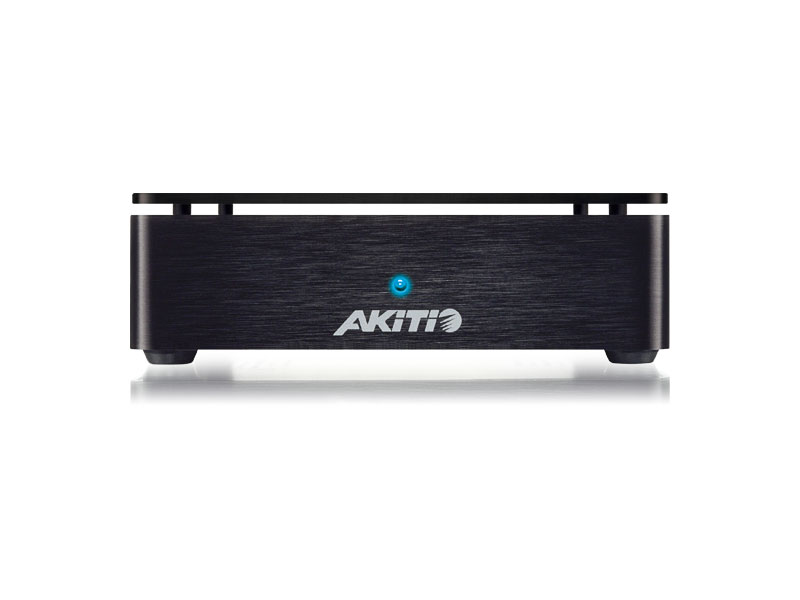
  • 1 x Dual color status LED
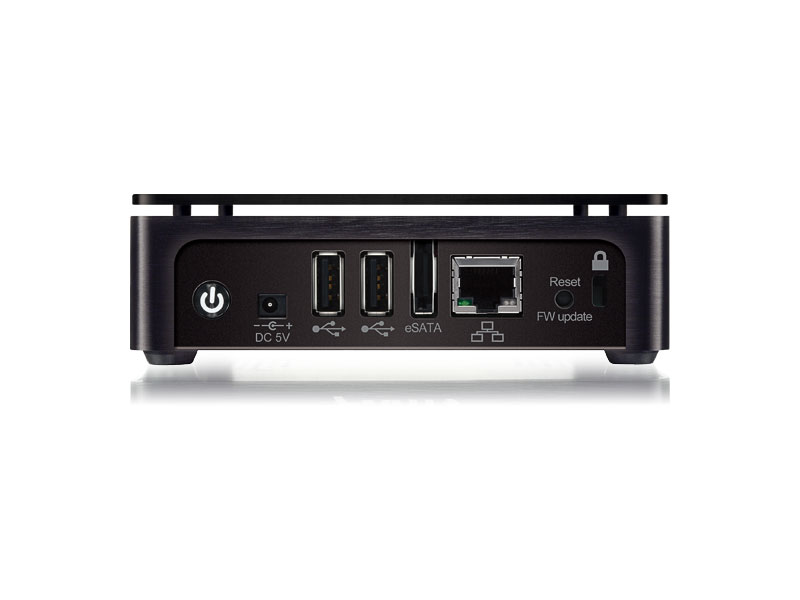
Rear I/O
  • 1 x Power receptacle
  • 1 x RJ45 connector (10/100/1000) with two LEDs for link and activity
  • 2 x USB 2.0 host connectors
  • 1 x eSATA host connector
  • 1 x Reset button
  • 1 x Power button
LAN interface
  • 1000BASE-T IEEE 802.3ab
  • 100BASE-TX IEEE 802.3u
  • 10BASE-T IEEE 802.3
  • Auto MDIX
  • Automatic speed negotiation and downshift
  • Low power consumption; advanced power management
USB interface
  • 2 x USB 2.0 host for USB flash drives, hard drives and printers
RAID
  • RAID 0
  • RAID 1
  • To create a RAID array, an internal and an external eSATA hard drive are required.
Web based GUI
  • HTML based GUI with built-in file browser and media player
Network services
  • Samba server
  • NFS server
  • FTP server
  • DHCP server
  • UPnP-AV media server
  • iTunes music server
  • BitTorrent client
  • HTTP/FTP downloader
  • MyAkitio web portal (remote login)
  • Social network connection (e.g. Facebook, Flickr, YouTube)
Printer server
  • Yes (on local area network)
System management
  • Firmware update
  • Network configuration
  • Disk management utility
  • Power management
  • System logs
  • Mail notification
  • Windows & Mac setup utility
  • Device registration
  • User account management with address book
Remote access
  • Akitio web portal at www.myakitio.com
Mobile App requirements
  • iOS 4.0 or above
  • Android 2.2 to 3.x
System requirements (PC)
  • LAN: Windows XP or above
  • Internet browser for setup and file access
  • Your hardware device must have the correct corresponding port (e.g. Gigabit Ethernet or PCI card)
System requirements (Mac)
  • LAN: Mac OS 10.2 or above
  • Internet browser for setup and file access
  • Your hardware device must have the correct corresponding port (e.g. Gigabit Ethernet or PCI card)
System environment
  • Operating Temperature: 5°C ~ 35°C
  • Storage Temperature: -20°C ~ 70°C
  • Relative Humidity: 5% ~ 95% (non-condensing)
Power supply
  • External power supply (UL, cUL, CE, TUV approved)
  • Input: AC 100-240V, 1.3A, 50-60Hz
  • Output: DC +5V/2A
Fan noise level N/A
Dimensions (LxWxH)
  • 4.8 inches x 4.8 inches x 1.3 inches
  • 12.3cm x 12.3cm x 3.8cm
Package contents
  • NAS enclosure (hard drive not included)
  • Ethernet cable
  • Power adapter
  • Quick installation guide
Carton/Packaging
  • Retail Box Size: 9.1 x 7.1 x 3.4 in. (23 x 18 x 8.7 cm)
  • Carton Size (10pcs per carton): 18.3 x 15.2 x 10 in. (46.5 x 38.5 x 25.5 cm)
Remarks
  • With an internal hard drive and an external eSATA hard drive it's possible to create a RAID 0 or RAID 1 array.
  • Free application for iPhone and iPad available on App Store.
  • If the MyCloud is purchased with HDD's installed, setup will normally take less than 45 seconds. However, set up times may be longer if HDD installation and formatting are required.

Reviews

pcmag

I like the fact that any data you have on an installed hard disk or on a USB or eSATA drive is accessible from anywhere by going to the myakito.com site. You can share data by pointing others to this URL, or by emailing data to them or by publishing content to the Web (the device support WebDAV.) Read More...

Samara Lynn - PCMag (June 25, 2012)
buymeaniphone

Overall the device is simply a joy to use. The initial setup can be a little tricky (if you don’t read the manual). The amount of function tossed in such a small space is absolutely amazing. From streaming to your Xbox to AppleTV, sharing files with friends and family across the country in such a down right unrealistically simple fashion, this is one device to add to your home network. Read More...

Ryan Walton - BuyMeAniPhone (June 19, 2012)
iboughtamac

Recently, I got the chance to play with Akitio’s MyCloud Mini. Initially, I was fairly impressed with the ease of setup. The drive popped in with ease and the little server was up and running on my network in no time. Read More...

Brent Spore - iBoughtAMac (June 11, 2012)
geek-news-central

I knew the team that designed put a lot of thought into the design and management of the device. I have only touched the surface of what this server can do and amazed what it does at the price point. Read More...

GEEKNEWS - Geek News Central (May 8, 2012)
media-entertainment-technologies

The mounting of the drives is menu driven and works quite intuitively. Once configured the device was easily addressable by the network and the PC and Xbox. We also tested connecting to the device from a Galaxy Tab which had Android OS loaded. The app was easy to install and allowed for wireless access to the device for the both the videos and stills. Read More...

Pallab Chatterjee - Media & Entertainment Technologies (May 4, 2012)
tekgoblin

This device basically lets you host media on your network and share it anywhere you would like. So basically it lets you have your own mini cloud at home for media and document sharing. Pretty cool right? Read More...

Sanity - TekGoblin (April 23, 2012)
hardware lust

Sure, you could leave your home PC on 24/7, but this discrete device consumes significantly less energy. Plus, many Smart TVs (like the Sharp AQUOS line, for example) don’t include apps like Box.net or DropBox, giving the Akitio MyCloud Mini an edge. Read More...

Jason Evangelho - Hardware Lust (April 14, 2012)

Related Products